
Included in your purchase
Everything below, for $49 once.
-
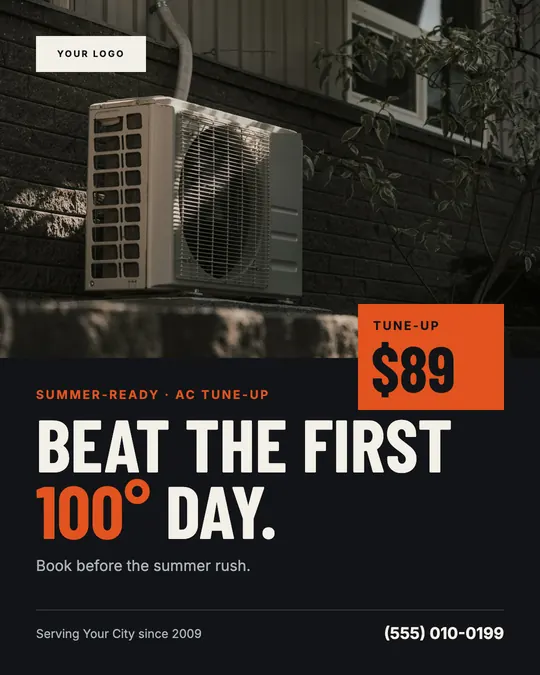 40Social posts4:5 feed posts for Facebook and Instagram
-
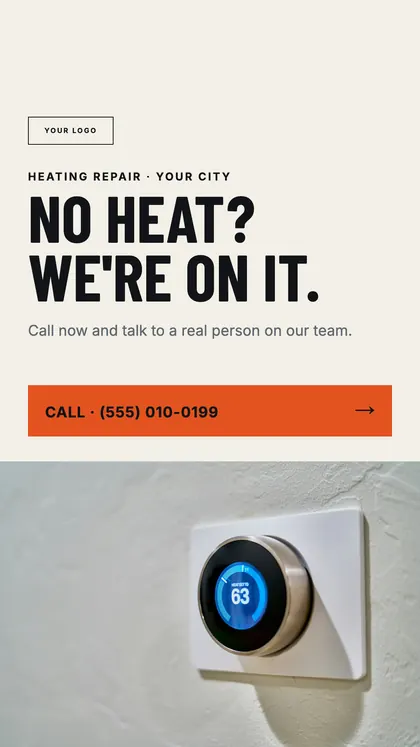 10Stories9:16, laid out inside Meta's safe zones
-
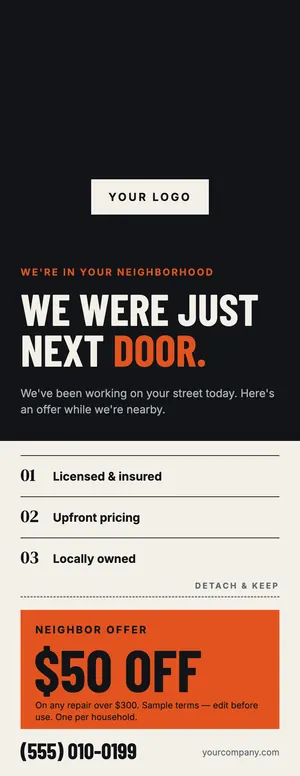 5Door hangers4.25 × 11 in, print-ready with bleed
-
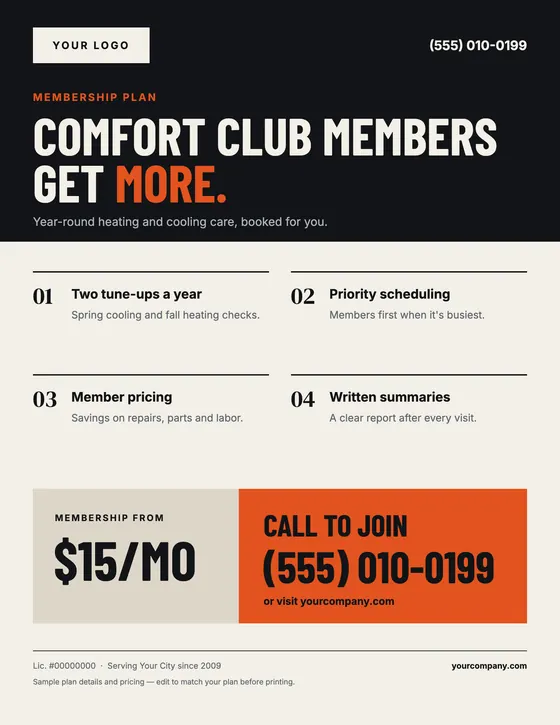 5FlyersUS Letter, print-ready
-
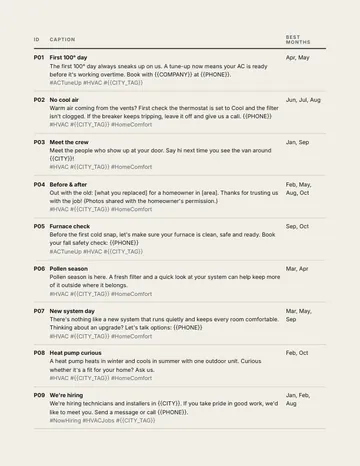 40 captionsOne per post, with hashtags. PDF + spreadsheet.
-
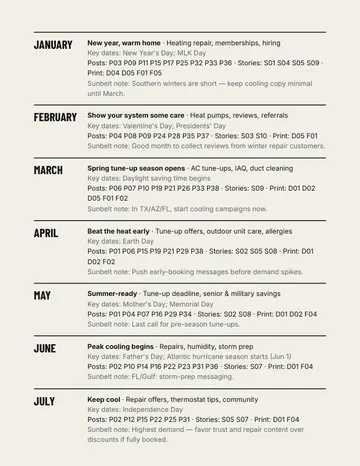 12-month calendarWhich design to use each month. PDF + Excel.
-
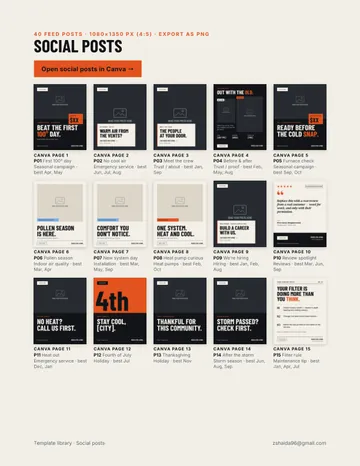 Template LibraryEvery design with its Canva page number.
-
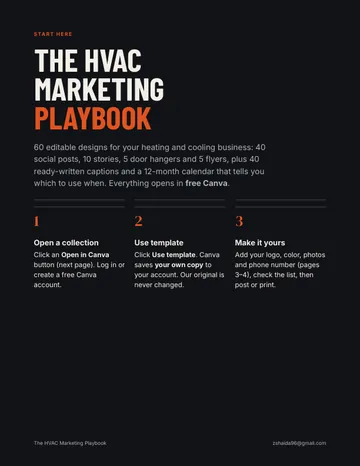 Start Here guideLogo, color, photos and phone, step by step.
-
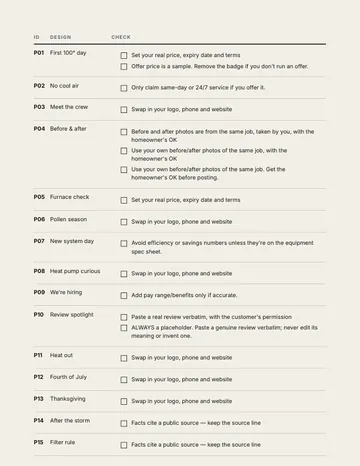 Before-you-publish checklistDesign-by-design checks for offers and claims.
- Bonus image-free versionsBold type-only alternates for when you don't have the right photo.
Design previews show example customizations with illustrative photos. Templates arrive with placeholders: $XX prices, MM/DD/YY dates and [bracketed] business details.
No design experience needed
From template to your post in four edits
The same template after each edit, rendered by the same system that builds the Canva files. Click text to type, drag photos onto placeholders, change one color. That's the whole skill set.
-
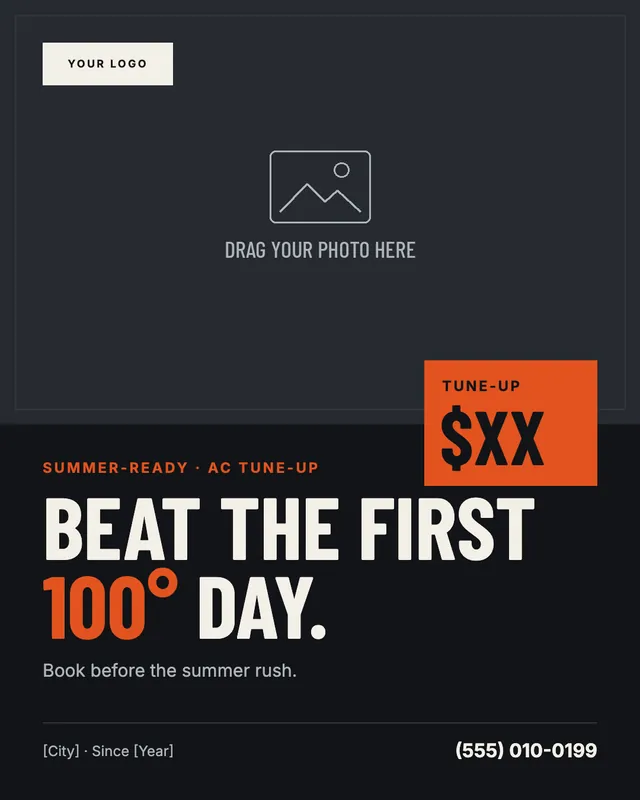
1Open your own copy
Open in Canva → open the template
Exactly as delivered: photo placeholder, $XX price, [City] details.
-
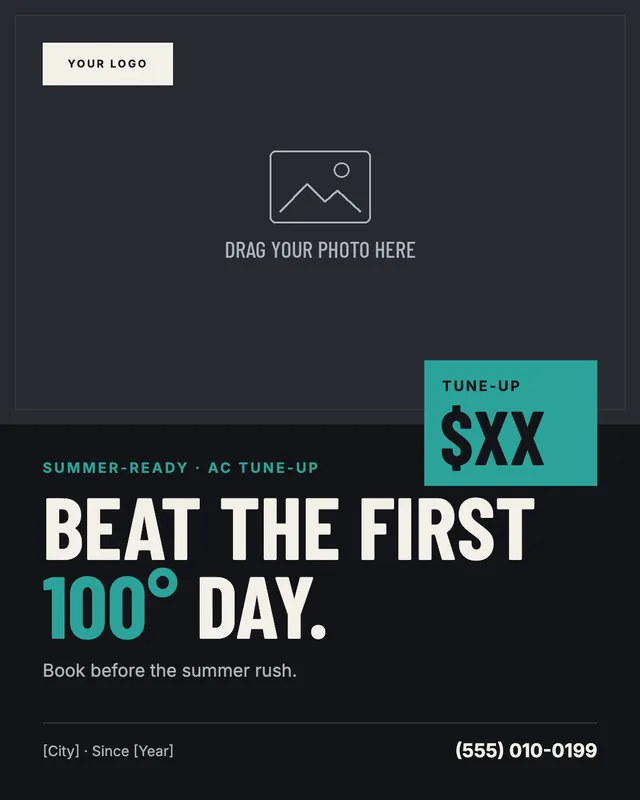
2Change all to your color
Click color → pick yours → Change all
One accent color per design, so one click rebrands the page.
-
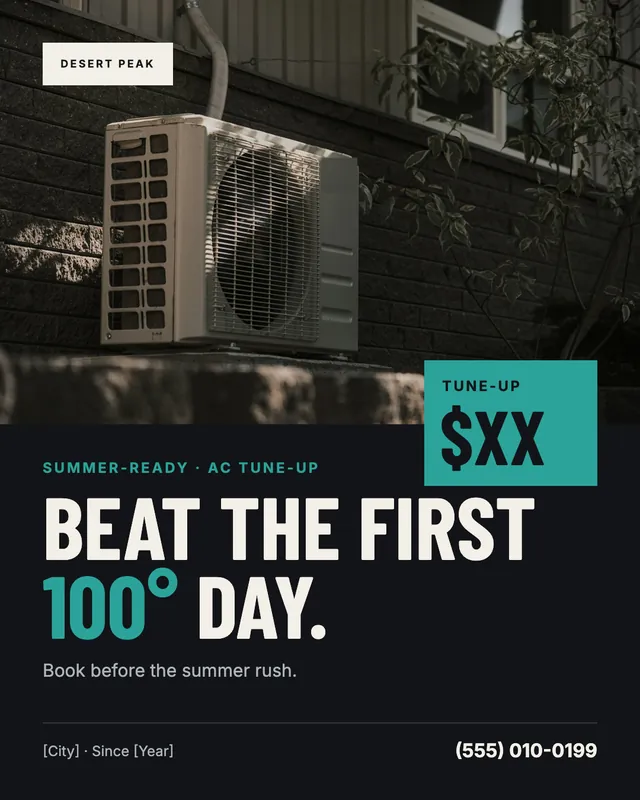
3Drop in your logo and photo
Drag onto the placeholder
Photos swap in place. Your own job photos build the most trust.
-
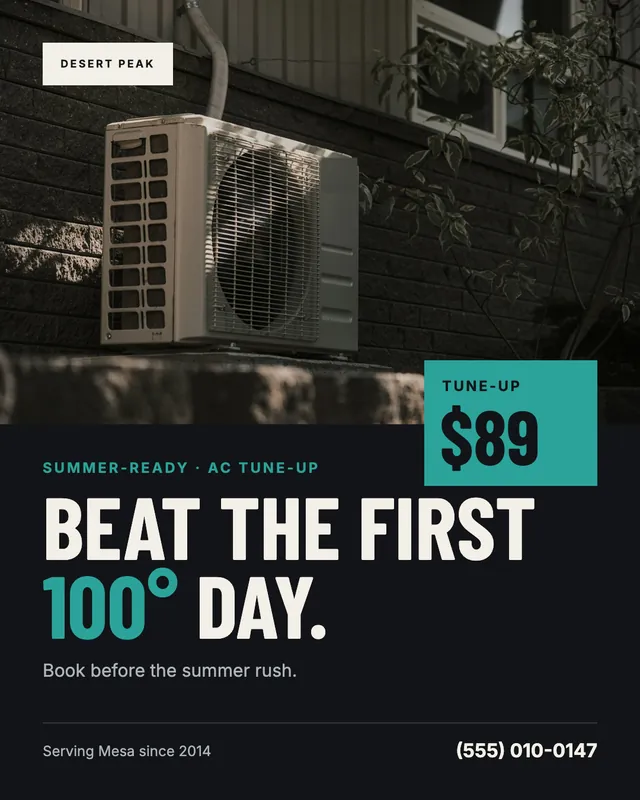
4Type your details. Download.
Find and replace → Share → Download
Your price, phone and service area. Export just this page.
“Desert Peak Heating & Air” is a fictional example company. The photo is illustrative and not included. Instructions match Canva's editor as of November 2026; Canva is a trademark of Canva Pty Ltd and isn't affiliated with this product.
The templates
Examples use illustrative photos and sample offers. Switch to As delivered to see exactly what opens in Canva.
Showing 12 of 60
Built for the feed and the front door
Posts and stories sized for Facebook and Instagram, with stories laid out inside Meta's safe zones. Print pieces include bleed, and door hangers keep the top clear for the hanger hole.
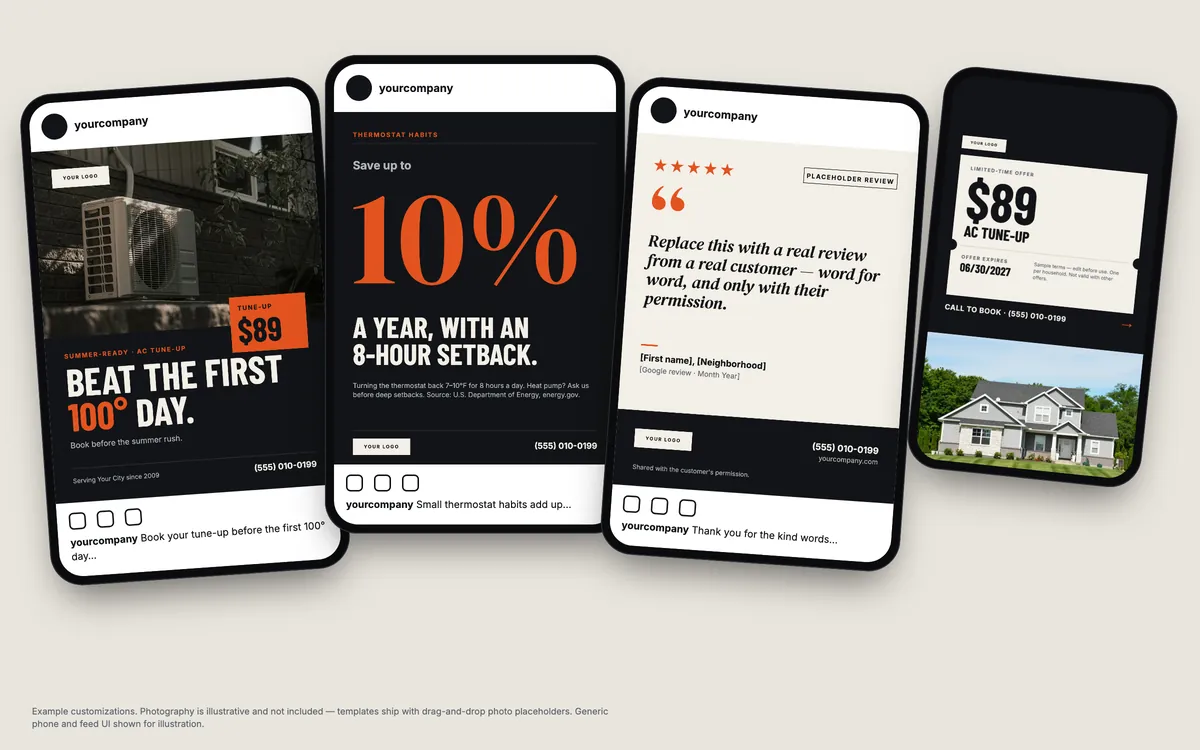
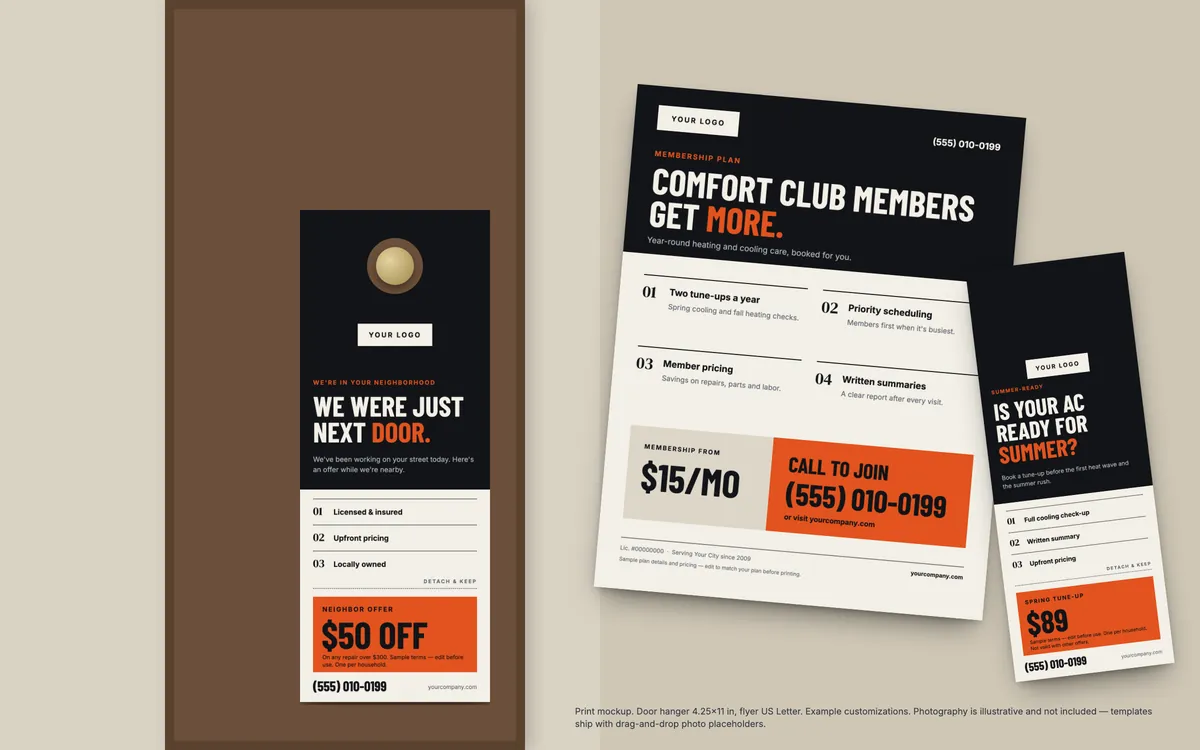
Mockups show example customizations. Photography is illustrative and not included; device and feed UI are generic.
Look established, without an agency.
One consistent design across your feed, door hangers and flyers, written in plain words homeowners understand. Seasonal, honest, and built for the trade.
No time
Evenings go on invoices and scheduling, not designing posts.
Generic templates
Stock designs look like everyone else's, or don't fit HVAC at all.
Seasonal misses
Tune-up offers that go out after the rush has already started. The calendar fixes that.
Planned around the HVAC year
The 12-month calendar tells you which designs to post and print each month, with notes for Texas, Arizona and Florida.
Mar–May
Spring tune-up season
Early-booking offers, outdoor-unit care, allergy and indoor-air posts.
Jun–Aug
Peak cooling
Repairs, humidity, storm-season advice, replacement estimates.
Sep–Nov
Heating safety
Furnace checks, CO-alarm reminders, referrals, community.
Dec–Feb
Winter comfort
No-heat service, holiday hours, memberships, hiring, reviews.
One-time purchase
Everything for $49
No subscription, no upsells. Checkout is handled by Polar, our payment provider and merchant of record, which calculates any sales tax and emails your receipt and download link.
- 1Pay securely with Polar. Card details never touch this site.
- 2Get the email. Your receipt links to your download right away.
- 3Open in Canva. Canva saves your own copy to your account.
$49USD, one-time
- 60 editable Canva designs + image-free bonus versions
- 40 captions + 12-month calendar
- Template Library, Start Here guide + checklist
- Works with a free Canva account
- 14-day no-questions refund
Questions
Do I need design experience?
No. Every template is finished: you click text to change it, drag your photo onto the placeholder, and change the accent color once with Canva's “Change all”. The Start Here guide is written for people who have never used Canva.
Do I need Canva Pro?
No. Every template uses fonts and elements from Canva's free library, so a free Canva account works. Canva runs in your web browser and in its desktop and phone apps.
What exactly do I get?
60 editable Canva designs (40 social posts, 10 stories, 5 door hangers, 5 flyers) plus image-free bonus versions, 40 ready-written captions (PDF and spreadsheet), a 12-month marketing calendar (PDF and Excel), a Template Library PDF with every design's Canva page number, a Start Here guide and a before-you-publish checklist. It's not 365 ready-made posts: it's a year's plan built from 60 reusable designs.
How do I get the templates after I buy?
Right after checkout, Polar (our payment provider) emails your receipt with a link to your downloads. Open the Start Here guide, click a collection's “Open in Canva” button, then “Use template” (or “View template” → “Open in Editor”): Canva saves your own copy to your account.
Will I be editing your original files?
No. The links are Canva template links: each one creates a fresh copy in your account. Your edits never affect anyone else's.
Are the photos included?
No. The photos in our previews are illustrative examples. Every template has drag-and-drop photo placeholders for your own job photos, and there are image-free bonus versions too. Use the “As delivered” switch in the gallery to see exactly what you get.
Are the prices and offers in the previews real?
No. They're examples. Templates arrive with $XX prices, MM/DD/YY expiry dates and [bracketed] business details, so you set your own offer and terms.
Can I add my logo, colors and contact details?
Yes. Every design uses one accent color, so “Change all” recolors it to your brand in one step. Canva's Find and replace swaps your phone number and website across every page.
Do the templates make claims about my business?
No. Business details like license numbers or “Licensed & insured” appear in [brackets], so nothing goes out until you've confirmed it. Review designs are placeholders for real reviews, used with permission. A before-you-publish checklist covers each design.
Is this a subscription?
No. It's a one-time purchase, with no subscription, upsells or recurring charges.
What's your refund policy?
If the templates aren't right for you, email us within 14 days of purchase for a full refund. No reason needed.
Who handles payment and sales tax?
Checkout is handled by Polar, our payment provider and merchant of record. Polar processes payment, calculates any applicable sales tax and issues your receipt. We never see your card details.
Something else? Contact us.